

The article below is primarily AI generated but the video is me. A human.
Full video + guide
I opened a new folder on my desktop and called it “NewMax”. Then I told Codex to leave my existing work out of it.
I wanted to show what starting from scratch could look like for someone who needs help with client work, writing, and keeping the week organized. For this demo, I had AI ignore all of my other files so it wouldn’t take shortcuts.
The first thing I asked was what it needed to know about me (context first, always context).
That’s the best place to begin when you’re staring at an empty chat and trying to figure out how to explain your sloppy working life. You can let the assistant ask the questions. Your job is to answer them with enough detail that the work starts to almost build on it’s own.
I’ve put together a starter prompt and downloadable skills so you can follow along with your own work. Before you grab those, I want to show you what happened during the setup, including the parts that still needed me.
1. Give Codex the building blocks
I started by telling it I was a solo AI consultant who also does knowledge work. I wanted help staying organized, and I expected the workspace to hold client projects alongside my own content.
I added a few preferences. Keep things succinct.
“Think about how the parts connect.”
“Give me an accurate answer even when I’d prefer a more flattering one.”
Then I gave it 2 fictional clients. Client A was a marketing company. I let it choose the second business, which became an operations consultancy. Those were demo examples, so we could give them projects without pulling private client material into the recording.
My answers were rambling. You can hear me working them out as I talk. Codex had enough to create a basic structure, with places for my profile, client work, and personal projects, plus planning and reference material. It also created a starting document that explained where things belonged.
That gave the next task somewhere to look. The client’s information could stay with the client. The article I was planning could live in its own project. I could find the week’s tasks without opening every project folder.
2. Plan the week around your actual commitments
Then I asked it to help organize my day.
That’s where the useful questions became much more specific.
Which day?
How many hours?
What had to be finished?
What meetings were fixed?
For the demo, I gave it a 9-to-5 working day in Eastern time.
Client A had a 90-minute meeting on Monday morning.
Client B had one on Wednesday.
I initially said Tuesday for Client B, even though I’d just said I kept meetings on Mondays and Wednesdays. I corrected it before we went further. A small contradiction like that can put the whole plan on the wrong footing if you let it slide.
Client A’s website was due Thursday. We had a basic wireframe, and Maggie needed to approve the site. That meant the plan had to leave room for messaging, design, and her review before deployment.
Client B needed a marketing strategy outline and a content plan. I also wanted to prepare Friday recaps for both clients.
Giving Codex those details changed what it could plan. A website deadline comes with work that has to happen before it. An approval adds another person’s availability. A 90-minute meeting takes a visible chunk out of the morning.
If you’re setting this up for yourself, tell it where the work stands today.
“Help me with my website” leaves a lot open. “I have a wireframe, the site is due Thursday, and Maggie approves the design” gives it something you can check against your calendar.
For my own content, I described the sequence I like to follow from Dan Koe. Write a long-form article, use it to develop a YouTube video, then pull shorter pieces from that work. Useful video clips can become shorts. Sections of the article can become tweets or Substack Notes.
The article topic for this demo was the setup itself. We now had a week to plan and a process worth documenting as we went.
3. Put your brand references in Paper.design
Once those basics existed, I started bringing the work into places where I could see it more easily.
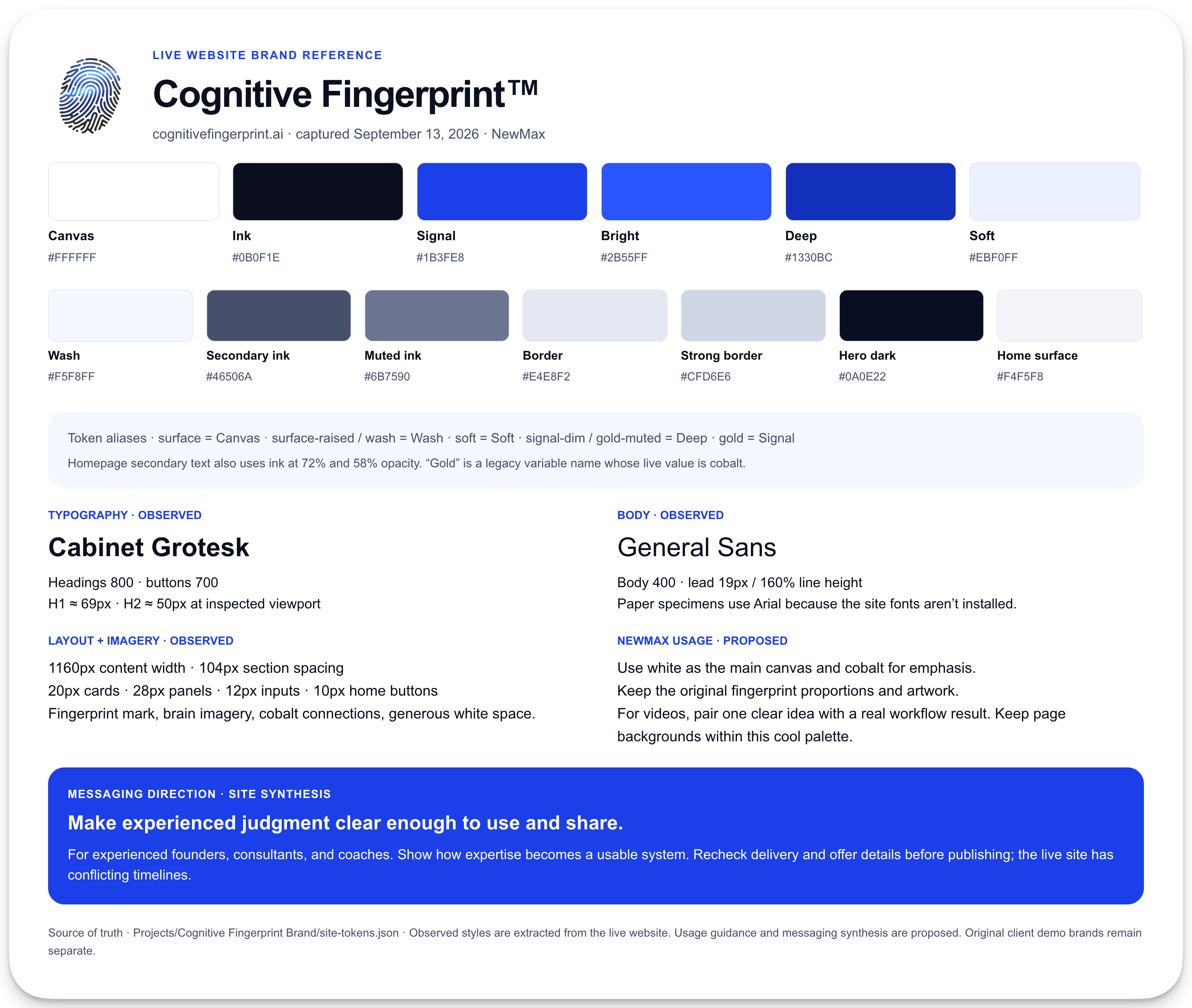
I used Paper for the brand guides. We created a guide for each fictional client, then I gave Codex a link to the Paper file and asked it to put the guides there. The colors and type choices were visible on the board, ready to refer to when creating later assets.
For my own brand, I gave it my website. I also used Paper’s browser extension to bring the page into Paper as a visual reference. That let us work from the colors, typography, and design already on the site.
When you ask AI to make something “on brand,” an existing page gives it far more to examine than the adjective. You can point to the heading style or the background color and decide whether the next design follows it.
4. Build a visual home for the work
One of my favorite parts about Codex is it’s ability to delegate to other chats. I asked for a separate one to set up a NewMax area in Notion. I wanted the demo kept apart from my other workspaces.
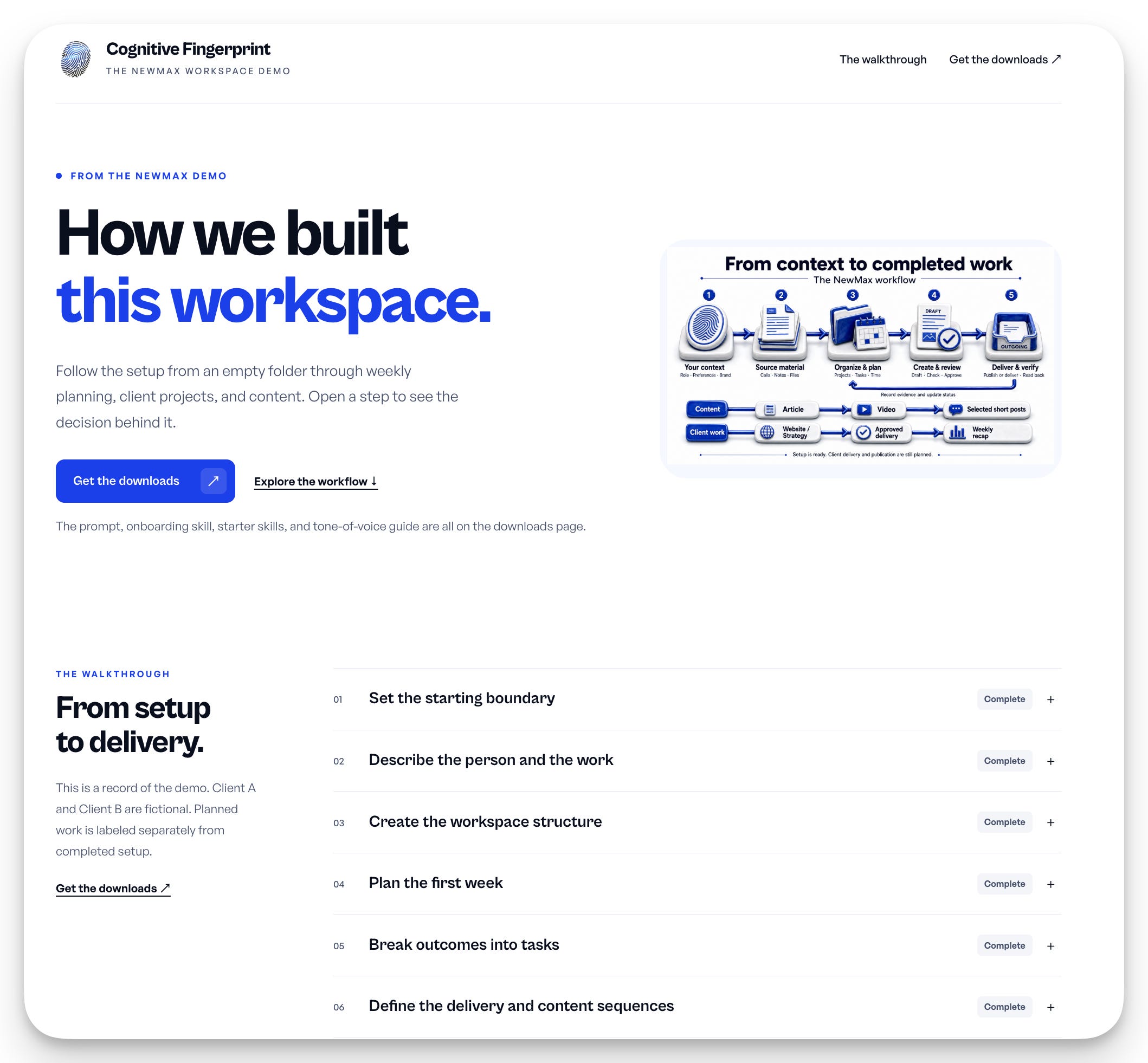
In the original task, I asked it to document what we were doing in a simple HTML walkthrough. That became the record of the setup, with the steps and links to the work we’d created.
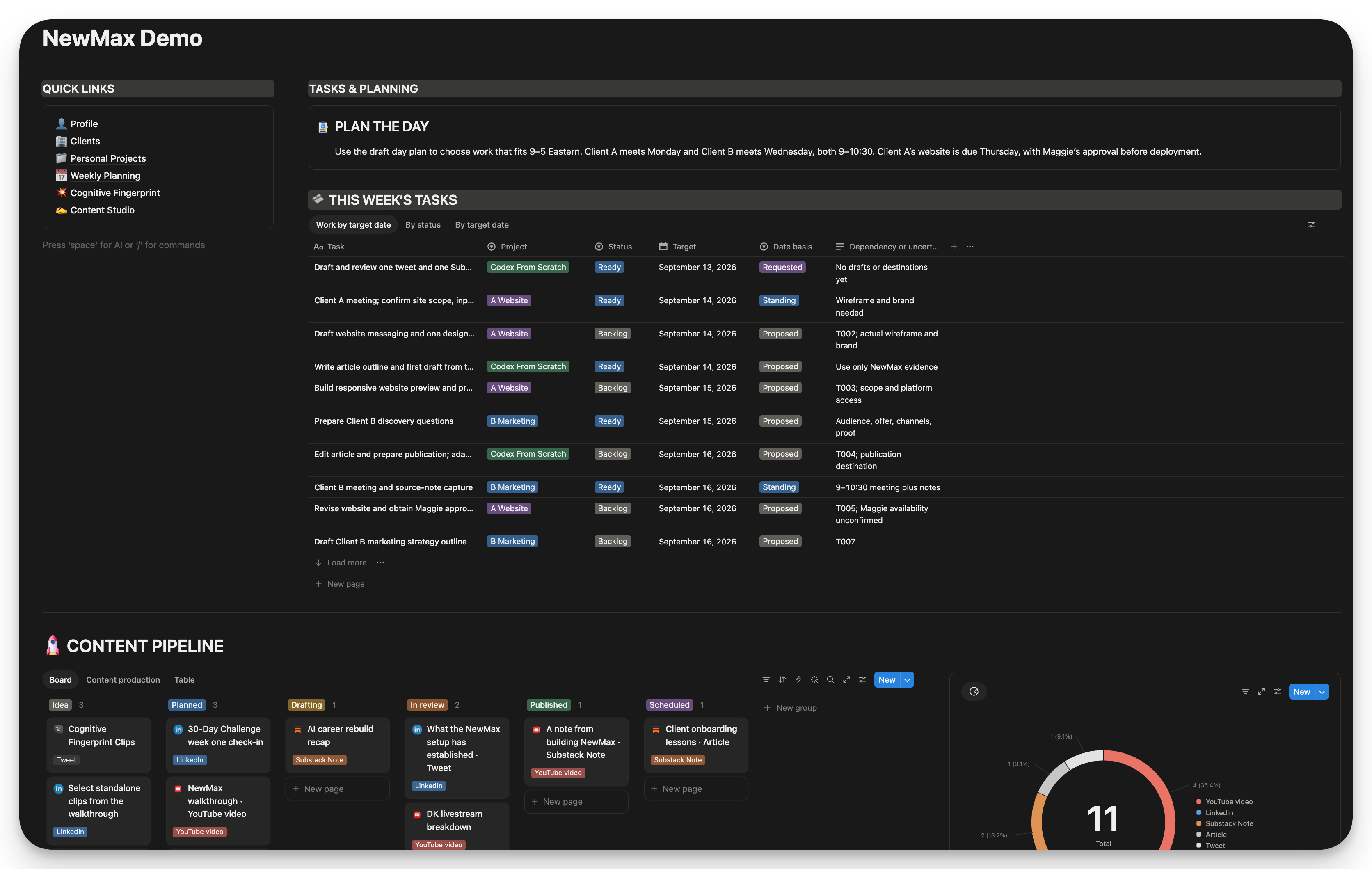
Over in Notion, the client and project information was taking shape. I used Notion AI to help arrange the homepage, then spent a slightly unreasonable amount of time trying to drag blocks into the right place on camera.
Eventually I had the tasks and personal projects where I wanted them, with quick links down the side. The content board followed, giving the article and video plans a place I could scan.
Having the same project represented in local files and Notion does mean you need to decide where updates belong. In this setup, the local task list remained the source for task status. The Notion views were useful for seeing the work.
5. Gather references for your content
With the brand references in place, we moved into content preparation.
I asked Codex to collect YouTube thumbnail references from creators in my niche using Scrape Creators, and to put the examples and breakdowns into Paper. That gave us a board we could look across while considering a thumbnail of our own.
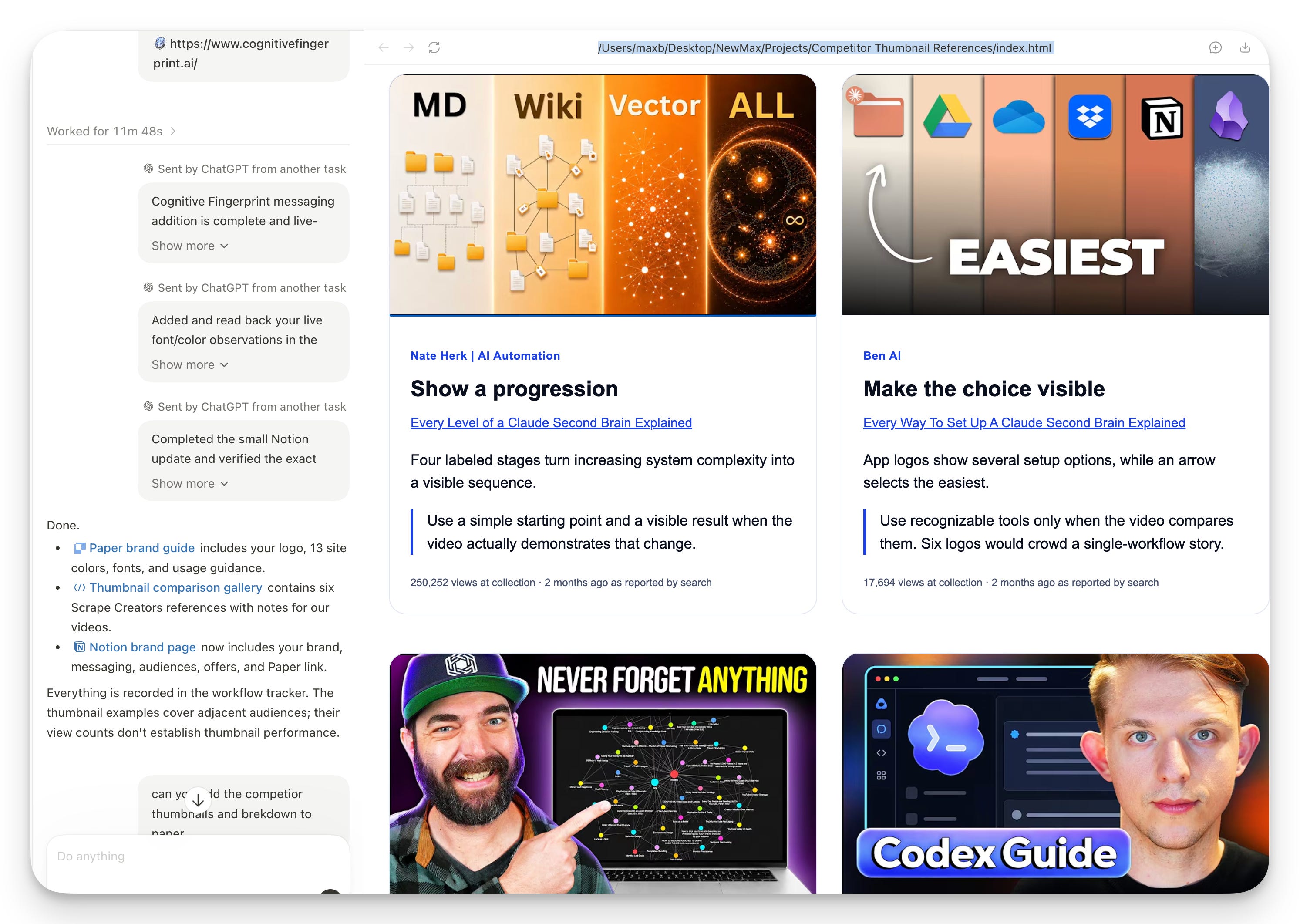
I also grabbed my headshot and tried generating versions with different expressions. The results varied. Some looked much better than others, and I had to adjust the framing. I used a reference thumbnail for an editing experiment, with the intention of changing the wording and design before making something of my own.
6. Show it your writing voice
Then I asked Codex to read 3 articles from my Substack, which was open in Dia, and pull out the tone of voice and writing style.
This gave the writing task actual examples to work from. It could look at how I open an article, how I explain something, and how the tone changes when I’m teaching or making an offer.
The resulting reference was a starting point for a draft. I’d still need to read that draft and correct it. A description of my voice becomes more useful when I can point to a sentence and say, “I’d never say that,” or show how I’d rewrite it.
7. Make a draft you can review
We tried an Instagram carousel too, using a reference layout and artwork connected to my site. By the ending of the recording, the carousel was there in Paper. I said I’d clean up the copy and put the right content into it before using it.
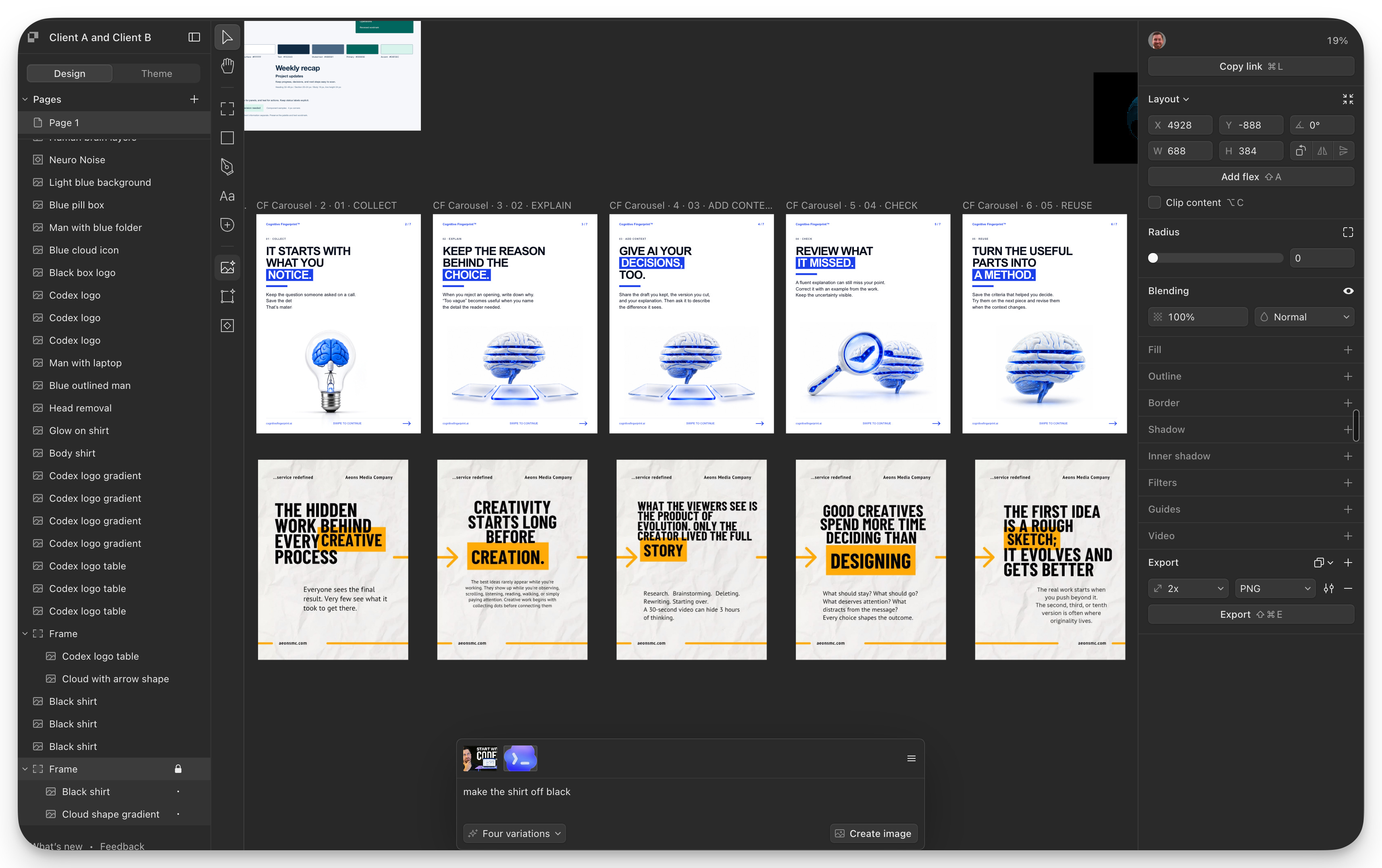
By then, a content task could draw on my website and existing writing, alongside the topic we’d already put on the board. I could inspect a draft against those references and explain what needed changing. The client website still needed to be delivered, and the carousel needed another pass on the copy.
I also paused the recording while things ran. The video length isn’t an elapsed-time promise for recreating the whole setup.
8. Save the routines you’ll use again
Toward the end, I asked Codex what else was left to do. Then, with the week and content plans available, I asked which reusable skills and scheduled tasks might help me.
The suggestions were connected to the work we’d already described. Planning the day could use the meetings and deadlines. A writing skill could help turn project observations into articles. A recap routine could collect the week’s evidence before Friday.
Those schedules were recommendations at that point. We hadn’t activated them during the ending I recorded.
I’d follow that order again. Get a project underway, see which instructions you keep repeating, and turn those into a skill. When a task has a clear recurring time and an output you know how to check, you can decide whether to schedule it.
If you want to try this, choose a folder and bring the work that’s already on your plate. Tell Codex what you’re responsible for this week and ask what else it needs to know. Correct its plan before asking it to build more around it.
The starter kit includes the onboarding prompt and a tone-of-voice prompt you can use with your own writing samples. The starter skills page has downloadable skills for planning, research, writing, and saving your progress. You can choose the one that fits the project you’re starting.
AI Strategy Exchange on Skool is where the skills and workflows behind videos like this one live.

